Stop hunting for colleagues.
Find anyone in seconds.
TeamBook - Org Connected turns your Microsoft 365 data into a beautiful, searchable employee directory - living right inside SharePoint. No new logins, no new tools, no data ever leaves your tenant.
- ✓ One-time licence fee
- ✓ Data stays in your tenant
- ✓ Native web feel
- ✓ Live sync from Microsoft Entra ID
Nobody knows who does what
Asking "who handles X?" wastes hours every week. TeamBook - Org Connected makes every colleague discoverable by name, role, team, or location.
Remote teams feel disconnected
See who is available right now, their local time, and whether they are in the office — all without leaving SharePoint.
Your intranet data goes stale
TeamBook - Org Connected pulls live from Microsoft Entra ID. No manual imports, no CSV uploads, no out-of-date spreadsheets.
See it in action
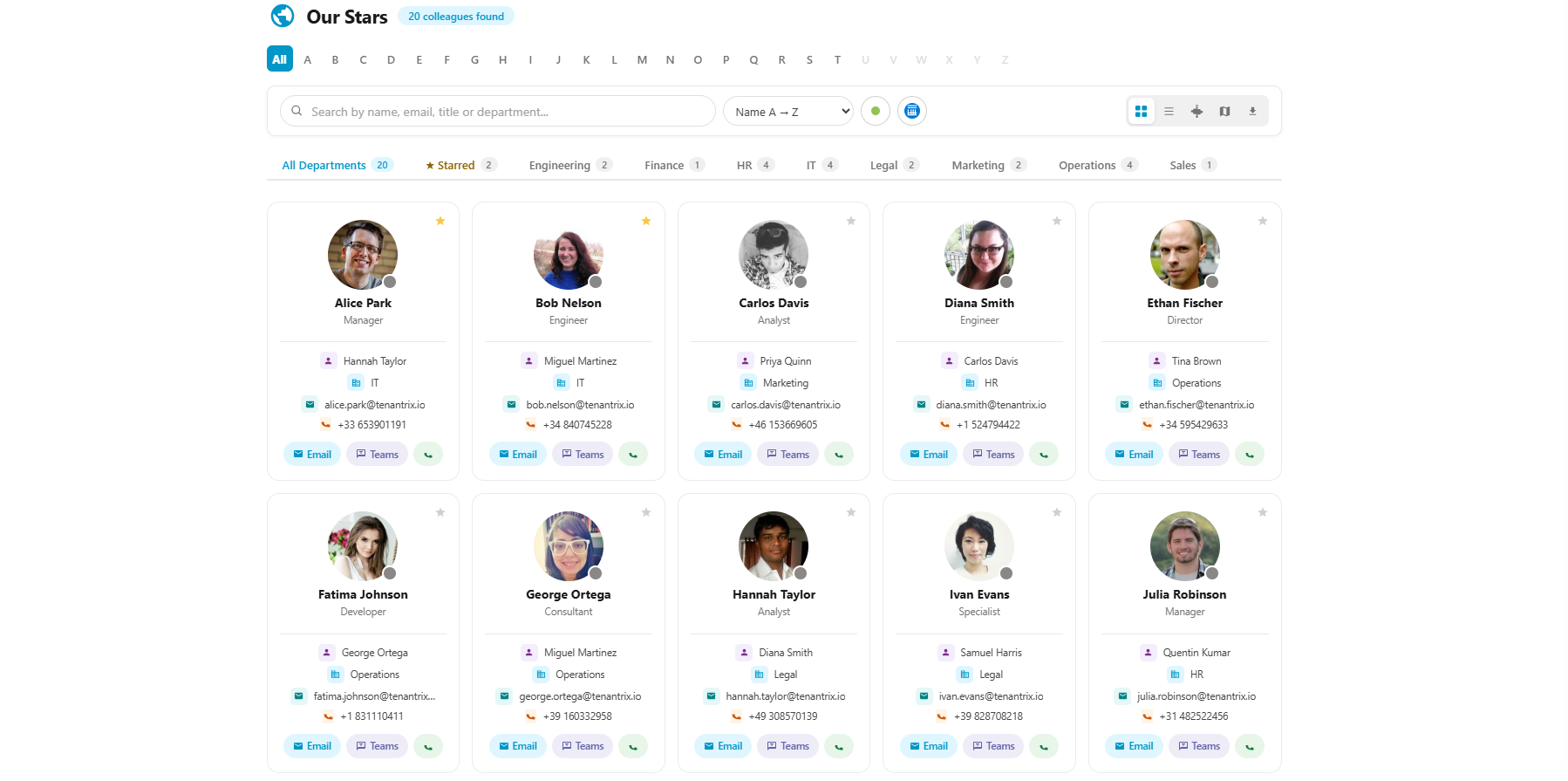
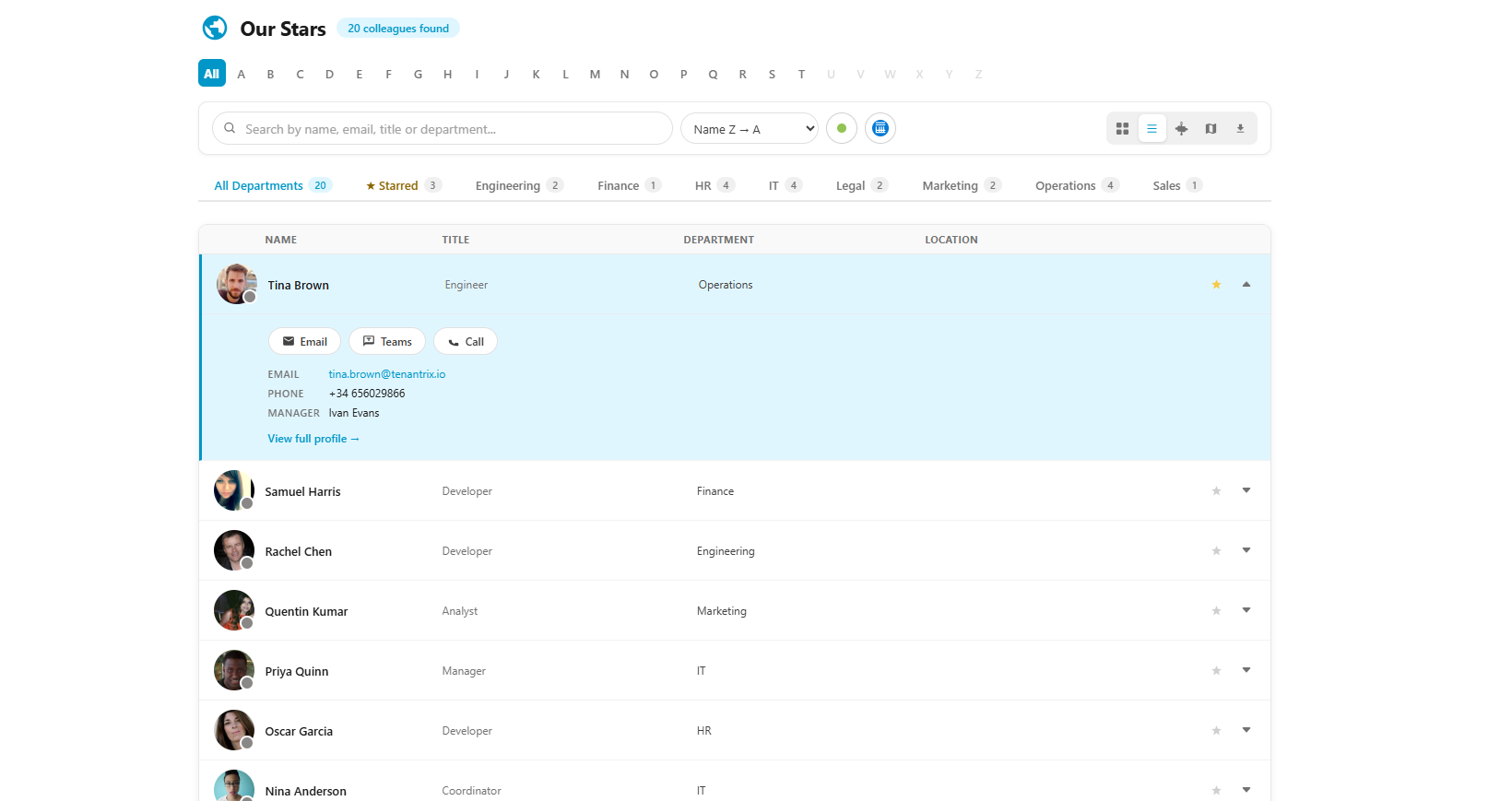
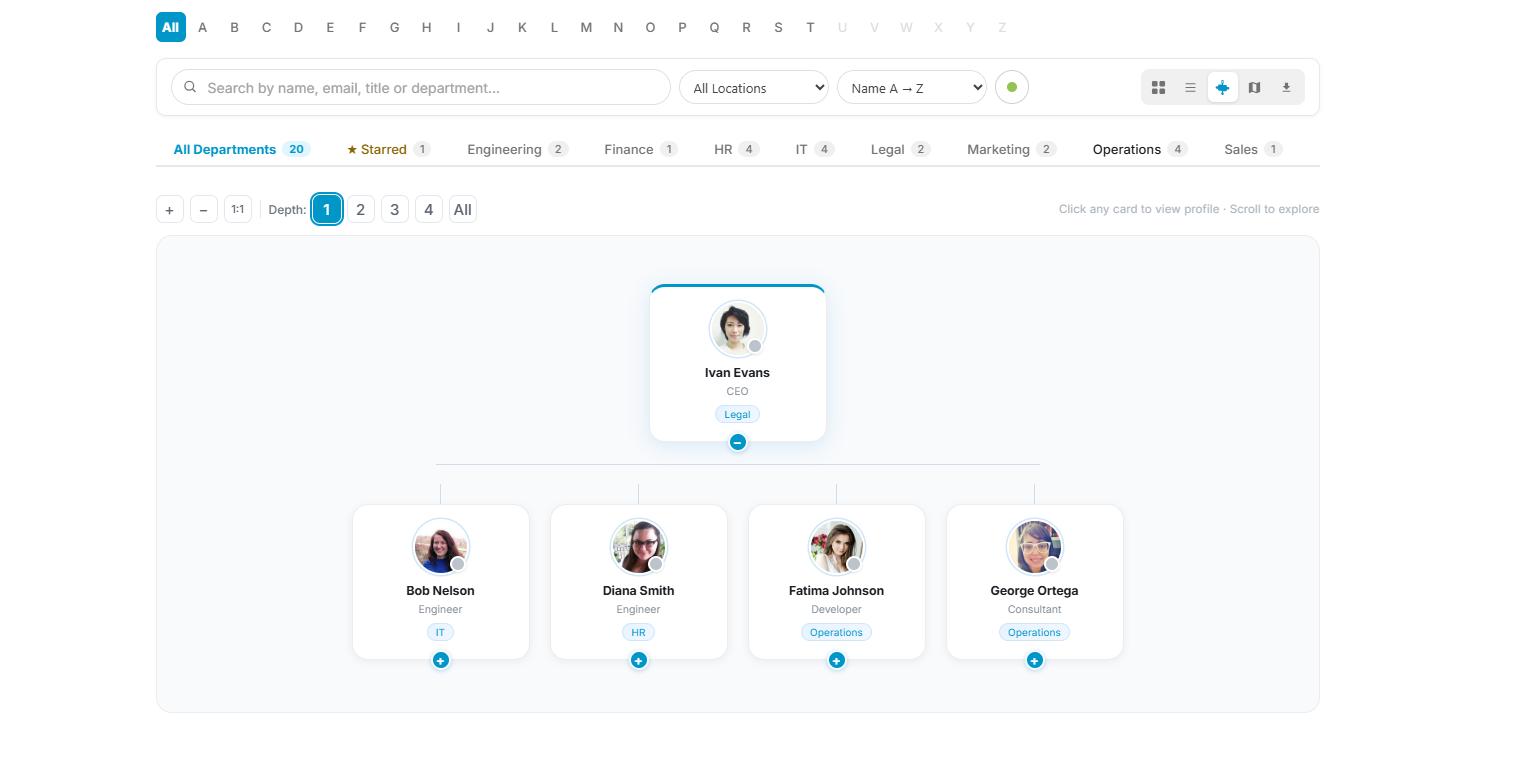
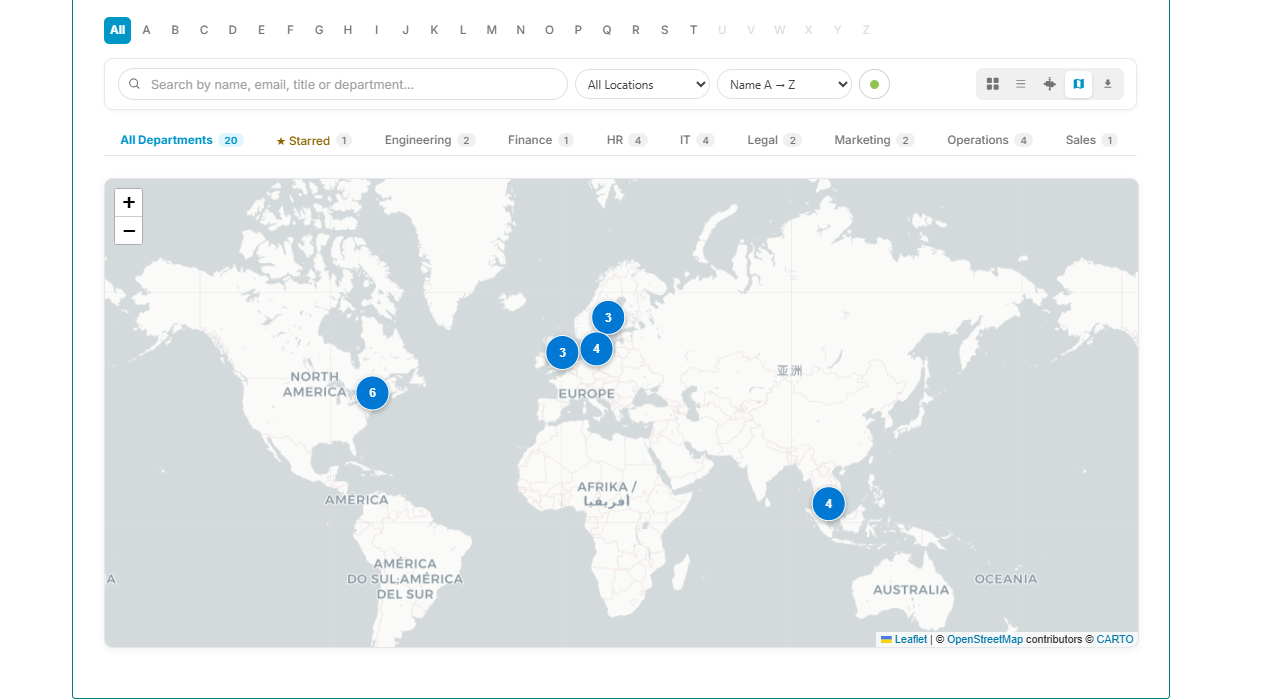
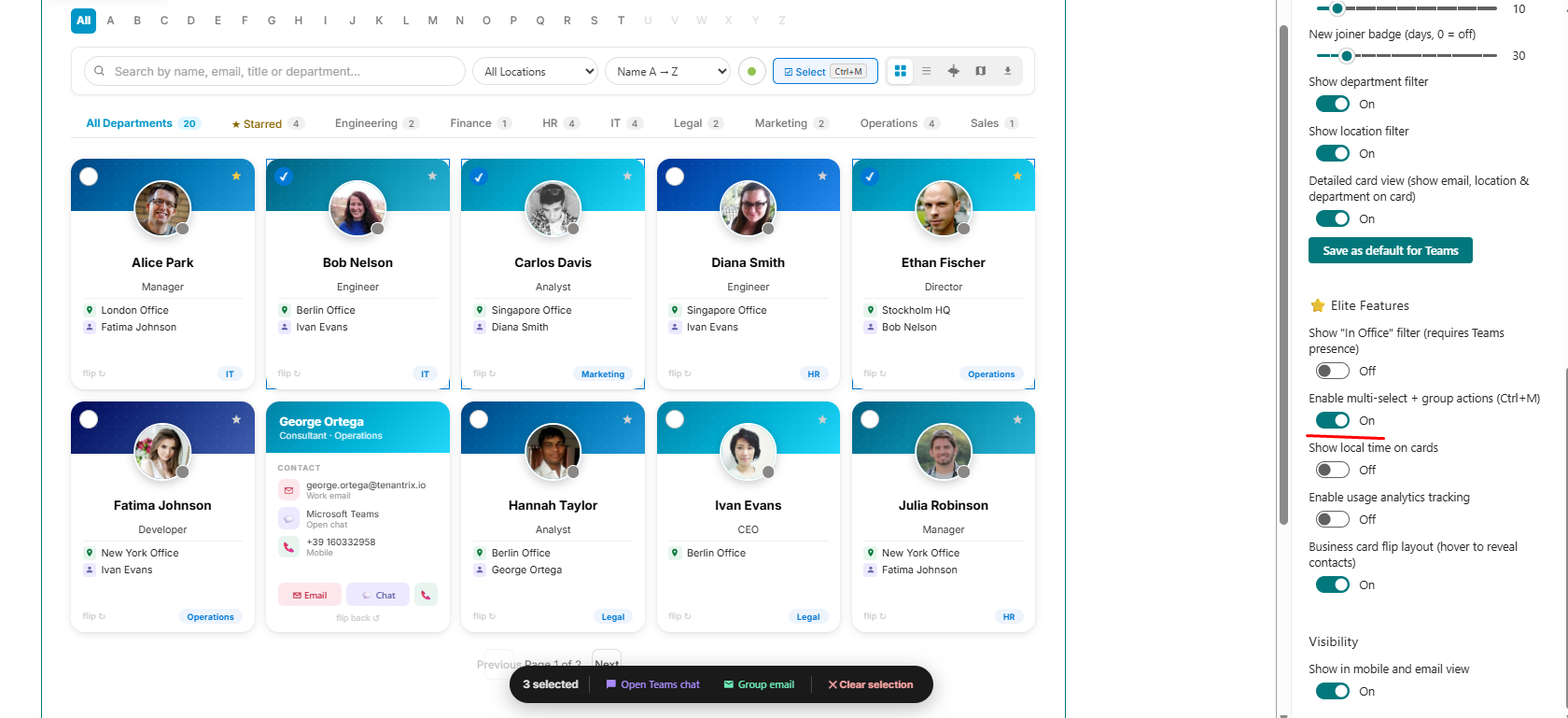
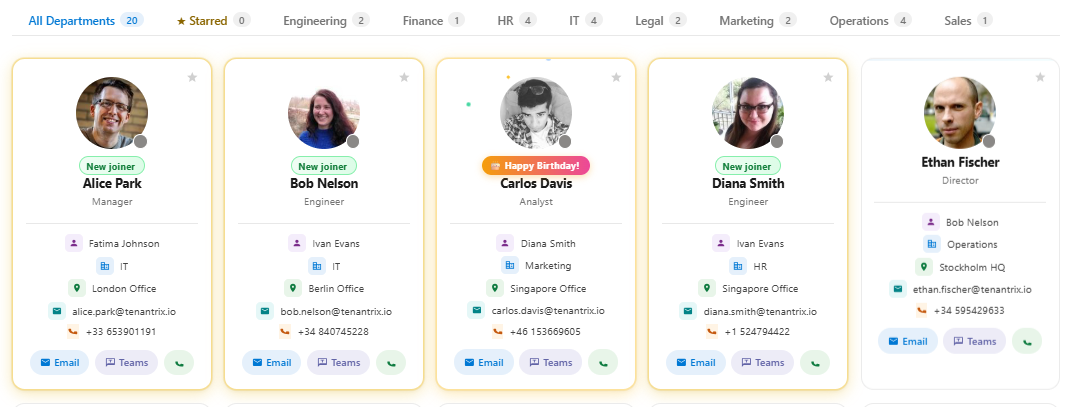
A real look at TeamBook - Org Connected running inside a Microsoft 365 environment.
Everything in the box
Every tier ships as a single SPFx web part. No plugins, no extra licences, no config headaches.
Card & List View
Browse colleagues in a clean card grid or compact list. Switch views instantly from the toolbar.
Multi-Field Search
Search across name, job title, department, email, and phone simultaneously. Results update as you type.
Teams Presence
Live coloured dots show Available, Busy, Away, and Offline status pulled directly from Microsoft Teams.
Favourites
Star any colleague to pin them to a Favourites strip. Persisted in the browser across sessions.
A–Z Filter
Alphabet bar lets you jump instantly to colleagues by first letter — essential for large directories.
Rich Employee Profiles
Photo, title, department, email, phone, manager, and direct reports — all in a clean side panel.
Organisation Chart
Visual reporting hierarchy built live from Entra ID. Always accurate, never manually maintained.
Interactive Map View
Plot every office on a live geographic map. Click a pin to see who works there and their status.
Multi-Select & Bulk Actions
Select multiple colleagues and email them all at once or open a group Teams chat in a single click.
Admin Analytics
Top searches, most-viewed profiles, department insights, and a profile completeness dashboard.
Export to CSV & vCard
Download the full directory as a spreadsheet, or export any profile as a .vcf for Outlook contacts.
Custom Branding
Set your own logo, header icon, title, and choose from 6 card colour palettes to match your intranet.
Built for how your team actually works
A closer look at the features that set each tier apart.
A directory that actually gets used
Smart multi-field search, A–Z filtering, department and location filters, and a Favourites strip for the people you contact most. Works in SharePoint, Microsoft Teams, and Outlook — no extra configuration needed.
- Search by name, title, department, email or phone
- Real-time Teams presence on every card
- Star colleagues to pin to Favourites
- New joiner badge and work anniversary milestones
Org charts and maps — Premium
Understand reporting lines and office locations without asking anyone. The org chart is built automatically from Entra ID data and the interactive map plots every office with a live headcount.
- Visual reporting hierarchy from Entra ID
- Interactive map view with office pins
- Employee detail panel — manager chain and direct reports
- 6 card colour palettes and custom branding
Group actions and analytics — Elite
Multi-select mode lets you pick a group of colleagues and email or Teams-chat them all at once. The admin panel shows search trends, top-viewed profiles, and a completeness score for every employee record.
- Multi-select with group email and Teams chat
- Available Now and In-Office filters
- Usage analytics and admin insights panel
- Profile completeness dashboard with CSV export
Regulated environments — Source code
For government, finance, and healthcare organisations that need full control. The source code licence gives you the complete SPFx TypeScript and React codebase to deploy, modify, and white-label however you need.
- Full TypeScript and React source code
- Deploy in air-gapped or on-premise environments
- Modify and white-label freely
- 1 year of support and updates included
Simple, honest pricing
Pay once. Own it. A small yearly maintenance fee from year two keeps you on the latest version.
- ✓ Card & list view
- ✓ Multi-field search
- ✓ Real-time Teams presence
- ✓ Entra ID group sync
- ✓ Rich employee profiles
- ✓ A–Z & department filters
- ✓ Favourites strip
- ✓ CSV & vCard export
- ✓ New joiner & anniversary badges
- ✓ SharePoint, Teams & Outlook
8-hour free trial on the marketplace · Secure checkout via Stripe
- ✓ Everything in Core
- ✓ Organisation chart view
- ✓ Employee detail side panel
- ✓ Interactive map view
- ✓ Custom branding & logo
- ✓ 6 card colour palettes
- ✓ Detailed card mode
- ✓ Skeleton loading animation
8-hour free trial on the marketplace · Secure checkout via Stripe
- ✓ Everything in Premium
- ✓ Available Now & In-Office filters
- ✓ Multi-select & group actions
- ✓ Group email & Teams chat
- ✓ Local time display
- ✓ Seasonal themes
- ✓ Usage analytics tracking
- ✓ Admin insights panel
- ✓ Profile completeness dashboard
8-hour free trial on the marketplace · Secure checkout via Stripe
Full Source Code Licence
Get the complete SPFx TypeScript & React source code. Deploy in air-gapped, on-premise, or highly regulated environments — government, finance, healthcare. Modify, extend, and white-label as you need. One year of support included.
Ready to connect your team?
Contact us and we will walk you through TeamBook - Org Connected running with real data from a Microsoft 365 tenant.